Quick Facts
- Risk Level: Currently, 62% of travelers report scanning QR codes while on trips, making it a top vector for digital theft.
- Frequency: Security monitors identify approximately 1.5 million quishing attempts every single day globally.
- Primary Vulnerability: Unlike desktops, mobile browsers often lack robust antivirus filters, making them easier targets for malicious redirection.
- Top Defense: Implementing multi-factor authentication on all financial and travel accounts blocks 99% of successful unauthorized access.
- Reporting Agencies: If you encounter a scam, you should immediately contact the FTC at ReportFraud.ftc.gov or the FBI through the IC3 portal.
Quishing, or QR code phishing, is a social engineering attack where cybercriminals use fraudulent QR codes to redirect victims to malicious websites. By overlaying fake stickers on legitimate codes at parking meters, restaurants, or transit hubs, attackers trick users into visiting phishing landing pages. These sites are designed to steal sensitive information such as login credentials, payment details, or to install malicious software on the mobile device of the user. Understanding the quishing meaning is the first step in protecting travel data from qr code scams during your family vacation.
Understanding Quishing: The New Threat to Travelers
As a parent, I know how much we rely on convenience when we are on the road. Whether it is scanning a menu at a busy airport cafe so the kids can choose their nuggets faster or paying a parking meter via a quick scan, these little square boxes are everywhere. However, the prevalence of QR code phishing surged by 400% between 2023 and 2025 as attackers realized they could bypass traditional security filters that usually catch suspicious emails.
A quishing attack is particularly dangerous for travelers because mobile devices have less screen real estate. When you are rushing to catch a flight, you might not notice that a website address looks slightly off. Furthermore, mobile browsers often lack the layered security suites found on laptops. This makes credential harvesting much easier for criminals. They rely on the fact that when we are traveling, we are often distracted, tired, and looking for the quickest way to get things done.
Telltale Signs of Physical Tampering at Travel Hubs
When you are at an airport lounge or a transit station, the QR codes you see are often printed on posters or plastic stands. The first rule of thumb for identifying fake QR codes is to use your senses. Cybercriminals frequently use physical tampering by placing a high-quality sticker directly over a legitimate code. I always recommend the fingernail test: gently run your finger over the edge of the QR code. If you feel a raised edge or can see a sticker peeling at the corner, do not scan it.
Look for mismatched print quality or a bubbly texture, which often indicates a rushed overlay. You should be especially wary of parking meter qr code scams. In many cities, scammers place fake stickers on meters to divert your parking payment directly into their accounts while also stealing your credit card information. If a code is located in a poorly lit or unattended public area, it is much more likely to be compromised than one located directly at a staffed checkout counter.
Digital Red Flags: How to Verify QR Code Destination URLs
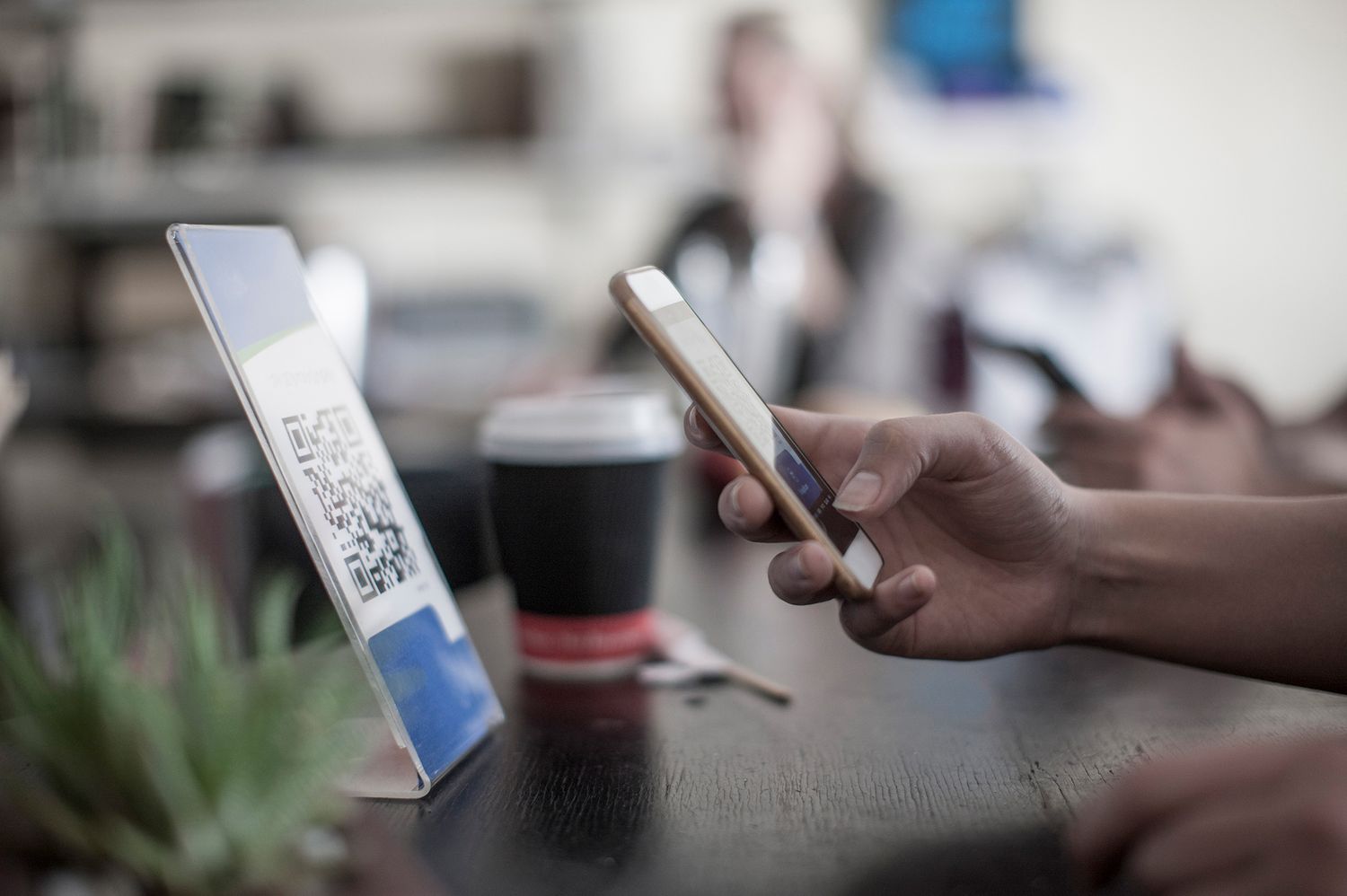
Even if the physical signage looks perfect, you must remain vigilant about the digital destination. Most modern smartphones allow you to see a URL preview before you actually click through to the site. When you point your native camera app at a code, a small link will appear on the screen. Take a second to read it. If the link uses a shortened format like bit.ly or looks like a random string of numbers and letters, use caution.
It is vital to know how to verify qr code destination URL details to ensure your data stays safe. Approximately 90% of QR code phishing attacks are specifically designed to steal sensitive login credentials by using spoofed websites that look identical to a hotel login or a local transit app. Check for the unsecured HTTP protocol instead of the more secure HTTPS. Also, look out for malicious software installation prompts; a legitimate menu or parking app should never ask to download a configuration profile or an executable file to your phone just to show you a list of food items.
| Practice | Why it Matters |
|---|---|
| Use native camera preview | Allows you to see the domain before the browser loads malicious content. |
| Check for HTTPS | Ensures the connection to the site is encrypted, though not a guarantee of safety. |
| Avoid third-party scanners | Many third-party QR apps are actually adware that tracks your mobile activity. |
| Inspect for typo-squatting | Scammers use names like 'PayPa1' instead of 'PayPal' to trick the eye. |
The Pause-Verify-Report Framework for Travelers
Staying safe while traveling requires a consistent habit of cyber hygiene. I like to teach my kids the Pause-Verify-Report framework. It is a simple way to practice qr code security for international travelers who might be dealing with unfamiliar languages and systems. The goal is to move away from impulsive clicking and toward a zero trust approach where no code is assumed to be safe until it is checked.
- Pause: Stop for three seconds before scanning. Look at the physical environment. Is this code in a spot where a scammer could easily reach it? Is the lighting too dim to see if there is a sticker?
- Verify: Once the camera reads the code, check the URL preview. Is this the official website of the airline or restaurant? If the site asks for a password or multi-factor authentication code immediately after landing, close the page.
- Report: If you find physical tampering, tell the manager of the establishment. By reporting the incident, you help protect the next family who might not be as tech-savvy as you are. Remember that digital surveillance by criminals often relies on our silence and embarrassment.
Emergency Response: What to Do If You Scan a Malicious Code
Sometimes, despite our best efforts, we make a mistake. If you find yourself in a situation where you realize you scanned something suspicious, you must act quickly to stop quishing from causing further damage. The first step is to disconnect from all connectivity. Turn off your mobile data and disconnect from public Wi-Fi immediately. This can prevent a Remote Access Trojan from communicating back to the attacker's server.
If you are wondering what to do if you scan a quishing qr code, follow these steps in order:
- Close the Browser: Immediately shut down all browser tabs. Do not click 'Cancel' on any pop-ups, as those buttons can sometimes be triggers for downloads; instead, force-close the app.
- Update Credentials: If you entered a password, use a different, trusted device to change that password immediately. This is why having unique passwords for every site is so important.
- Contact Financial Institutions: If payment data was involved, call your bank to freeze your cards. Mention that you were a victim of a quishing attack so their fraud department knows what to look for.
- Enable Multi-factor Authentication: If you haven't already, turn on MFA for all your travel and banking apps. Even if a scammer gets your password, they won't be able to get past the second layer of security.
- Report the Incident: File a report with local authorities and use the official government scam reporting websites to help track these trends.
FAQ
What is the meaning of quishing?
Quishing stands for QR phishing. It is a type of cyberattack where a fraudulent QR code is used to lead a user to a malicious website. The goal is usually to steal personal information like credit card numbers or login names by pretending to be a legitimate service like a restaurant menu or a parking payment system.
What is the difference between smishing and quishing?
Smishing is phishing that occurs through SMS or text messages, often containing a link that looks like a package delivery notification. Quishing uses a physical or digital QR code to hide the malicious link. Both use social engineering to create a sense of urgency, but quishing is harder for security software to detect because the link is hidden inside an image.
What is an example of quishing?
A common example is a fake sticker placed on a city parking meter. When a driver scans the code to pay for their spot, they are sent to a fake payment portal that looks identical to the city's official site. The driver enters their credit card info, the scammer steals the data, and the driver never actually pays for the parking, often resulting in a real ticket later.
How to prevent quishing?
You can prevent these attacks by always inspecting QR codes for physical tampering and using your phone camera's preview feature to check the website address before clicking. Avoid scanning codes in public places whenever possible, and instead, manually type the organization's website into your browser or use their official app from the App Store.
What are the 4 types of phishing?
Beyond quishing, the four main types include traditional Email Phishing (bulk emails), Spear Phishing (targeted attacks on specific people), Vishing (voice phishing over the phone), and Smishing (phishing via text messages). All of these rely on tricking the victim into giving up sensitive data voluntarily.